StitchLab USB
A Wi-Fi USB stick for your embroidery machine. Send a design from StitchLab and it's on your machine's USB menu seconds later: no more carrying a stick back and forth.
Install the firmware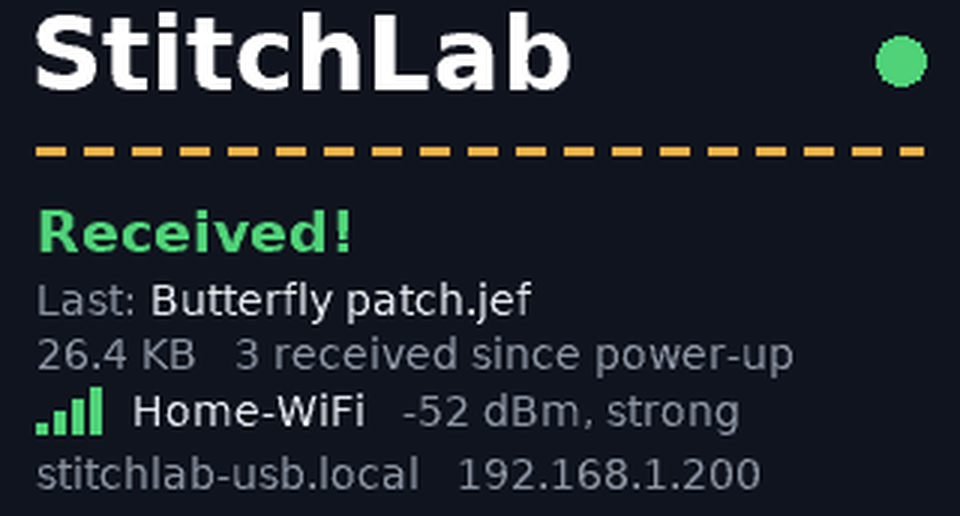
Its screen: the last design received, the Wi-Fi signal and its address.
What it does
Sends designs over Wi-Fi
Press Send to machine in StitchLab and the design goes straight onto the stick in your machine's USB port.
An ordinary USB stick to your machine
Your machine reads its microSD card like any USB stick, so designs show up in the USB menu as usual.
A screen that keeps you posted
Ready or receiving, the last design, a Wi-Fi signal meter and its address, with a diagnostics page a button press away.
Asks before replacing
Sending a design with a name that's already on the stick? StitchLab asks: keep both, replace, or cancel.
Set up in minutes
Choose your Wi-Fi from the networks StitchLab USB sees. It keeps its settings through power cuts and card formats.
Works while your machine sleeps
Send a design to a machine in sleep mode: it's waiting in the USB menu when you wake it.
Works with
Tested on the Janome Memory Craft 9850, where designs arrive in its
EMB folder. It's made for any embroidery machine that reads designs from a USB stick; settings for
other brands' folders are on the way.
Get one
Build your own, free
- Get a Waveshare ESP32-S3-LCD-1.47 board from Waveshare or Amazon (the one with the USB-A plug).
- Put a microSD card in it: 4 or 8 GB is plenty.
- Install the firmware from your browser (Chrome or Edge on a computer) and set up its Wi-Fi.
Ready to plug in
A StitchLab USB already installed and tested, with its card in: set up its Wi-Fi, plug it into your machine and start sending.